How to Play American Mahjong Online With Friends
Published
Updated
Written by Mahj Parlour
To play American Mahjong online with friends, choose an app everyone can use, connect with your group, and start a private table. In Mahj Parlour, use the Friends section to connect, then choose Create game under Play with friends. Bots can fill empty seats when fewer than four people are available.
This guide walks through Mahj Parlour on iPhone and iPad. If someone uses Android or needs browser play today, first compare the American Mahjong apps that support your whole group. Mahj Parlour’s browser version is coming soon.
Before Your First Online Game
Each player needs:
- A supported device: an iPhone or iPad running iOS/iPadOS 17 or later for Mahj Parlour.
- The app installed and ready: update before game night and check that everyone can open it.
- Full-game access: private games are part of the subscription after the new-subscriber trial. Free lessons and daily mini games are separate from full games.
- A reliable internet connection: online tables need everyone to stay connected.
- An official current NMJL card: agree on the same year’s card and keep it available.
The US App Store listing lists $6.99/month or $49.99/year as of October 13, 2026. Check the trial and purchase terms shown to each player before starting.
Step 1: Connect With Your Friends
Open the Friends section in Mahj Parlour. Search for a friend’s display name or share your invite link. Make sure the people you want to invite appear in your friend group before game time.
An invitation to connect and an invitation to a table serve different purposes. If someone is having trouble joining, first check that they have installed the app and connected with you. Our support page explains how to add friends and get help.
Step 2: Create a Private Table
On the Play screen, find Play with friends and choose Create game. Invite the friends you want at that table using the app’s invitation controls.
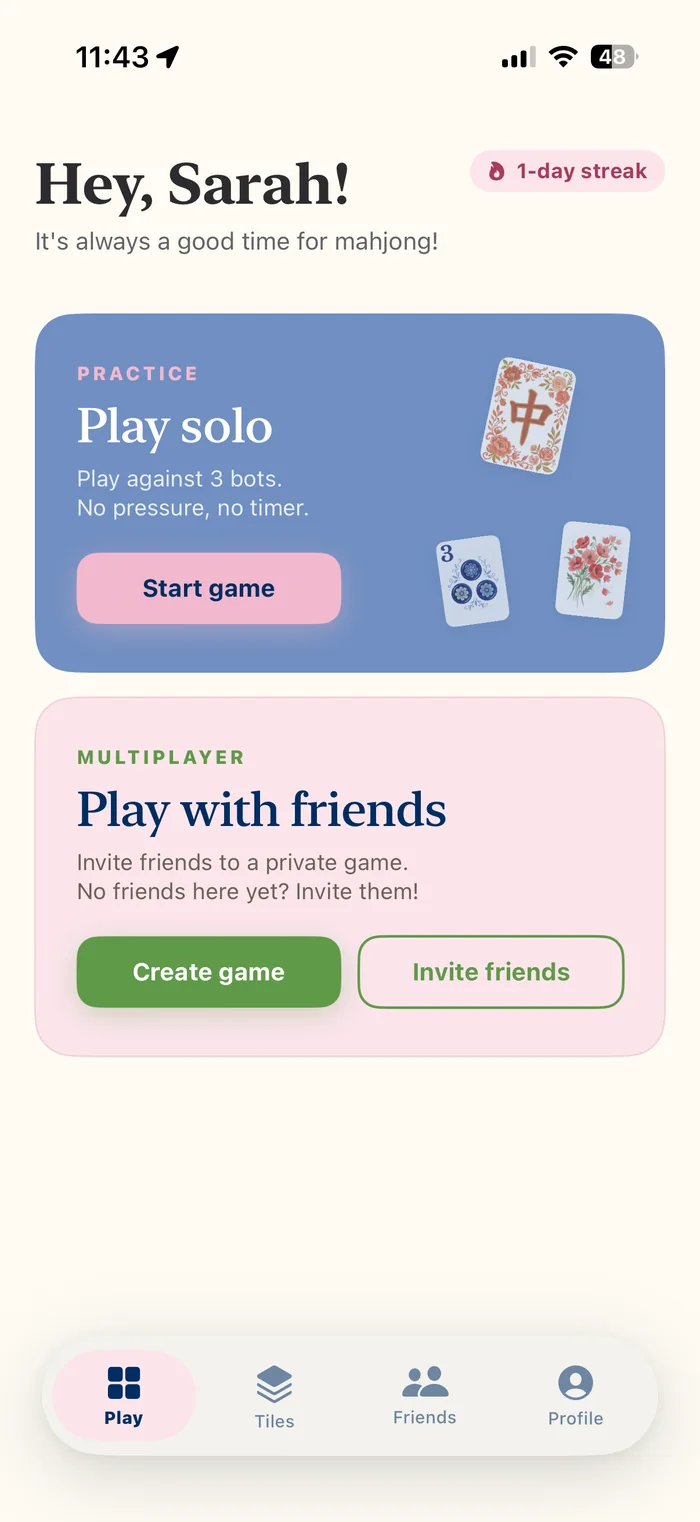
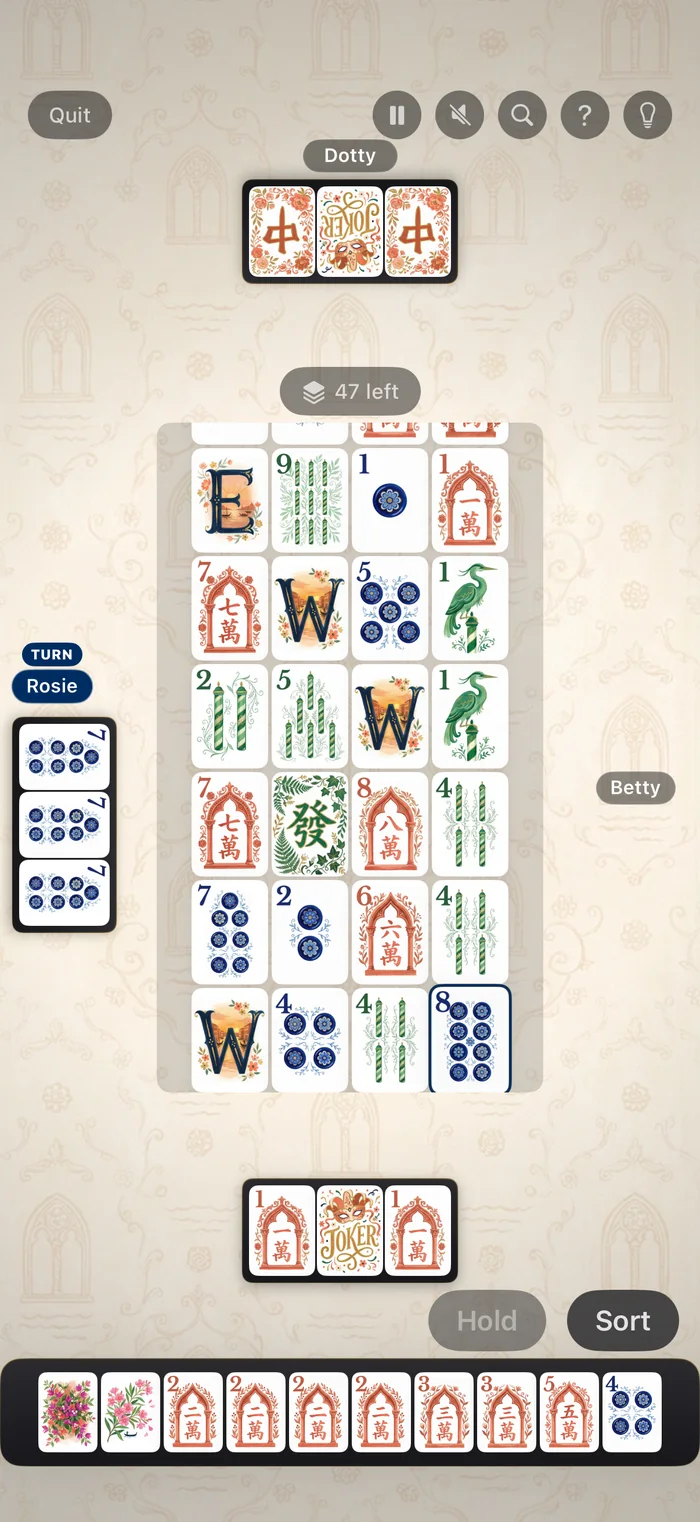
The screenshots are from Mahj Parlour; labels and appearance may change as the app is updated. Use the controls in your installed version if they look slightly different.
Step 3: Fill the Seats and Start
You do not need four available friends. Mahj Parlour can fill empty seats with computer players, so two or three people can still play a full table.
Check that everyone is ready and using the same card year. The app handles dealing and turn order. If a player is new, review the Charleston pass order before the first game rather than explaining every pass while the table waits.
Keep the Conversation Going
A private game and a voice call are separate things in this setup. If you want to chat, arrange a phone or FaceTime call alongside the game. Try the audio setup once before game night so everyone can hear the group and still see their tiles.
I Love Mahj and Real Mah Jongg advertise built-in conversation features. If keeping chat inside the game is a deciding factor, see the app comparison before choosing a platform.
Troubleshoot Before Restarting the Table
- A friend cannot find the invitation: confirm their display name, friend connection, and installed app version. Ask them to open the app and check their invitations.
- Someone uses Android: choose a currently available cross-device app together. An iOS invitation does not make an Android version available.
- A subscription screen appears: confirm that player’s full-game access. Completing free lessons does not unlock private games.
- A player drops offline: check their Wi-Fi or cellular connection before creating another table. Contact support if the problem continues.
- Only two people can attend: use bots for the remaining seats rather than canceling.
If several players are in the same room and one is remote, each person still uses their own device at the same digital table. Physical tiles do not synchronize with the app.
A Simple Game-Night Checklist
Agree on a time, card year, and whether you will use a separate call. Have everyone install and open the app beforehand, connect as friends, and confirm access to full games. Then one host creates the table and invites the group.
Download Mahj Parlour if everyone has an iPhone or iPad. For a new player, send the free learning curriculum and American Mahjong rules guide before the first game.